
MCP Server - Teaching Claude Desktop to lurk on Reddit, so you can multi-task!
Reddit MCP Server + Claude Desktop = pure magic!

I love Reddit. It is where your users share love and roast your product with surgical precision. It is also a place where you get to know about your domain / others competing for the same market share! After experimenting with MCP Server for BigQuery, I thought why am I still scrolling through dozen posts across few subreddits like a caveman?
Here's how I gave Claude Desktop direct Reddit access through MCP Server. All it takes is exactly 3 things!
1: Local FastMCP Server to fetch reddit posts
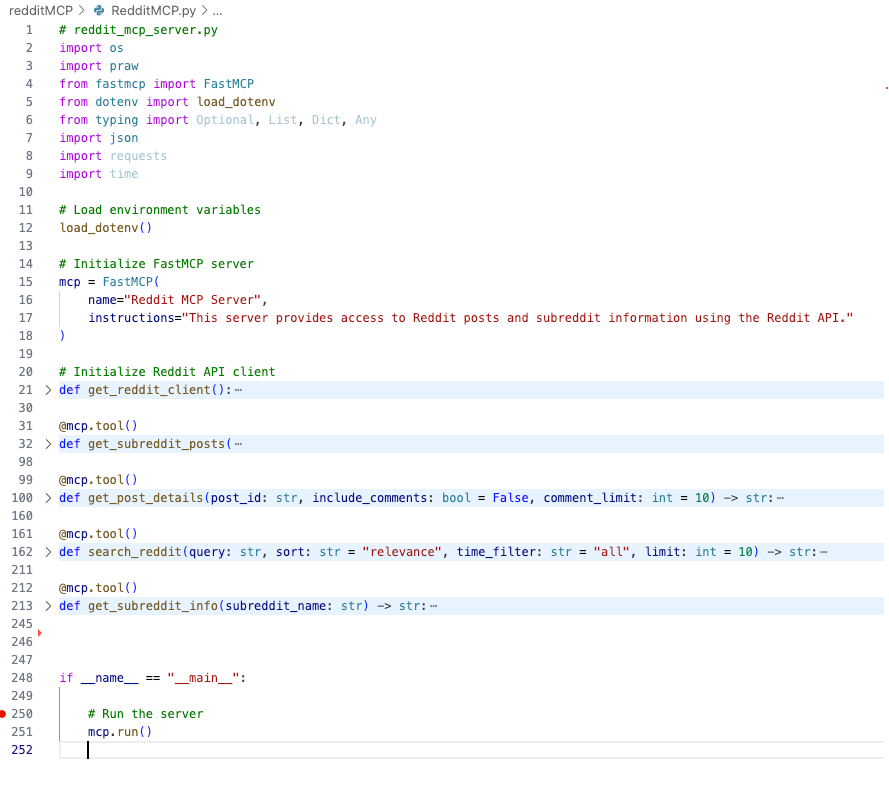
We need a local MCP Server which will make the PRAW - The Python Reddit API Wrapper, accessible as tools to your LLM. (Very interesting library name!). We will use FastMCP Server for this exercise. To wire this, we need roughly 252 lines of python code and you have two options:
By Vibe coding with Gemini / your favorite LLM by asking something like “Build me a python based MCP Server using FastMCP to read subreddits using PRAW. fetch comments from posts”. (works 99% of the time)
Or if you are lazy, or face issues you can copy paste my code I posted on github. (works 100% of the time, as I have suffered for you troubleshooting it)
Copy paste the code in Visual studio code, or your favorite python code editor. Then run the below command in terminal / command line, to install PRAW and fastmcp python packages in your local environment.
pip install praw fastmcp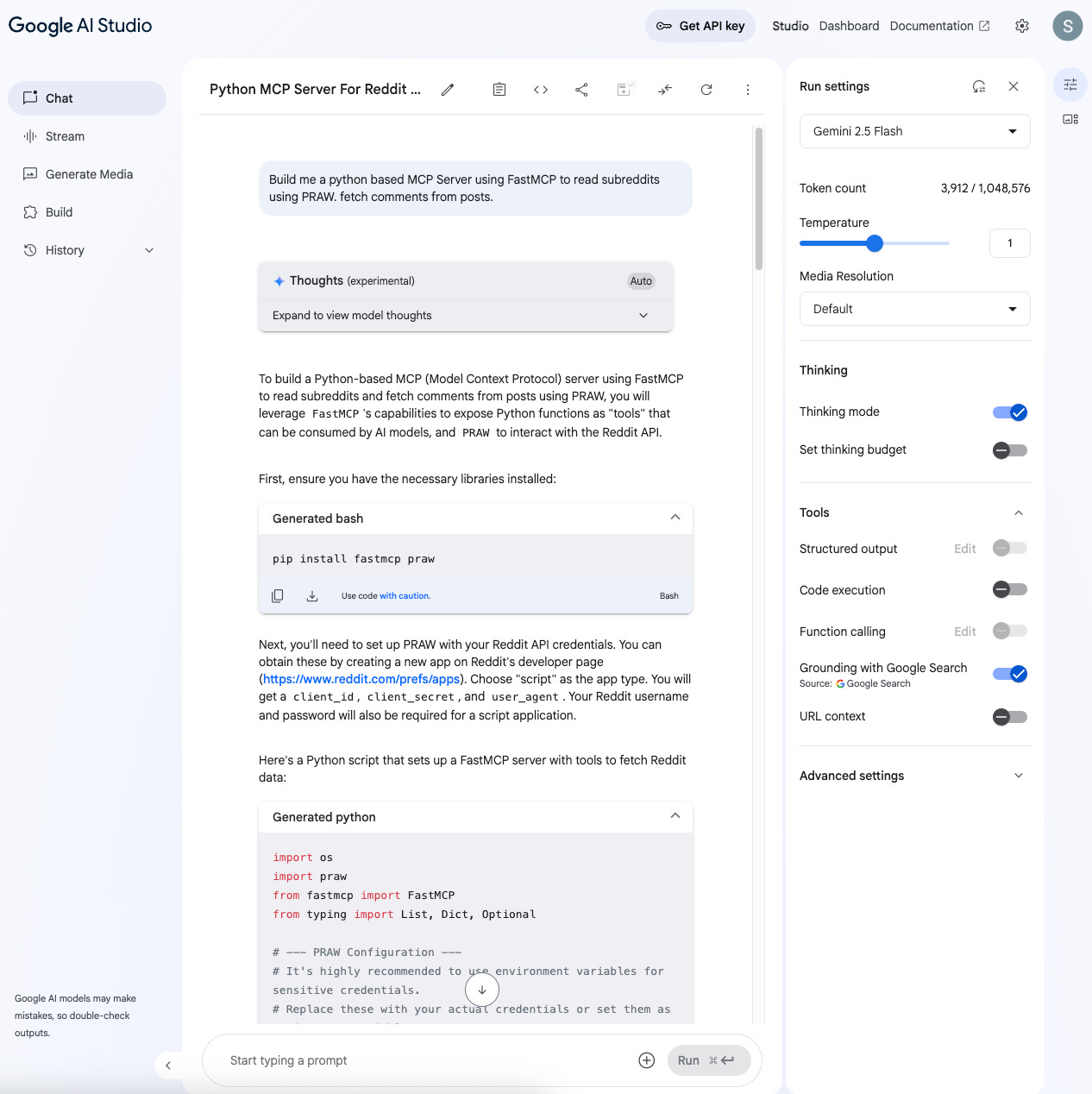
You generated Python code would look something like this to create MCP tools related to accessing Reddit posts content.
2: Create Reddit developer application
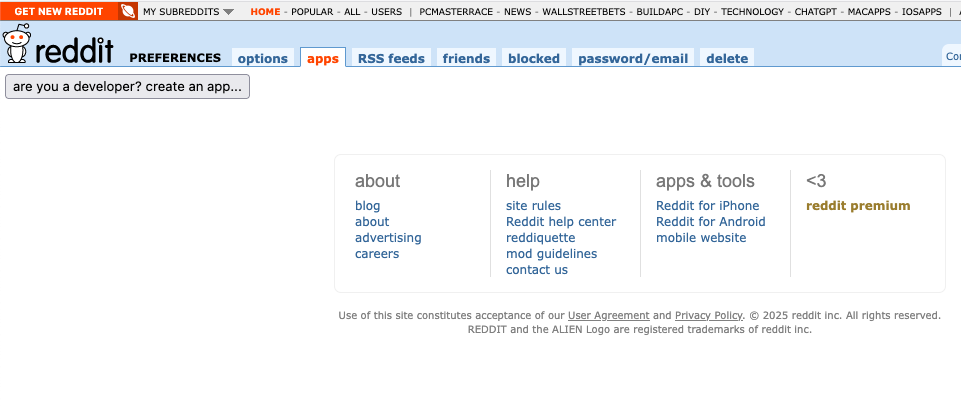
Frankly this is the hard part! Reddit doesn’t even make it easy to find the url to create developer apps. I will save you the trouble and share it here. If you have never created an app it will look like the below screenshot, Click “Create an app” button → Choose "Script"
Once you do that, replace the client id and secret in the code generated by Gemini / the code from my github with your apps info. I spent solid five minutes looking for a field named “client id” but it was this vague text right under the “personal use script”. Refer screenshot below.
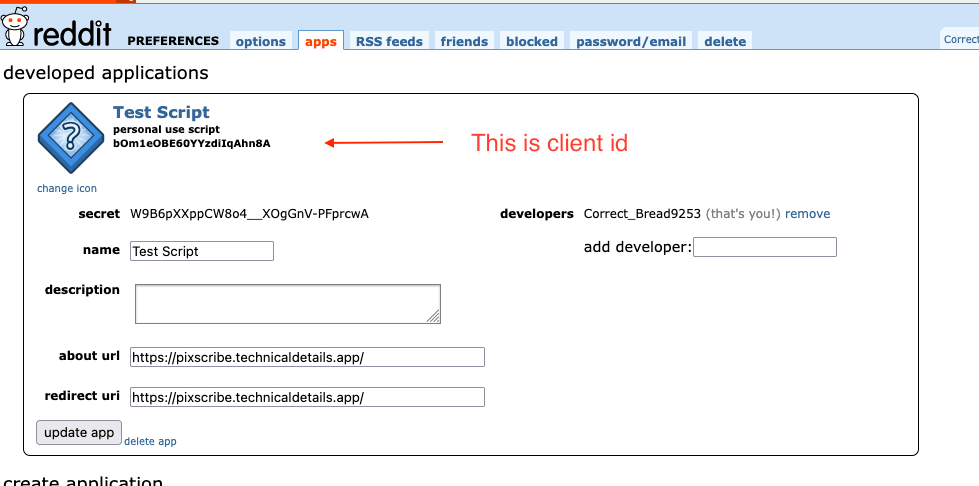
p.s. You can try using these exact credentials, but I deleted the app after posting this. So good luck!
3: Hook up Reddit MCP Server with Claude Desktop
FastMCP gives you the easy button to install a file based local MCP Server with Claude Desktop. Run the below command in your terminal or command line.
fastmcp install claude-desktop yourPythonFile.pyRefer here for more details on how to troubleshoot your installation.
Pure MCP Server + LLM Magic!
That is it, relaunch Claude Desktop, and you should see you have access to Reddit MCP Server as tools.
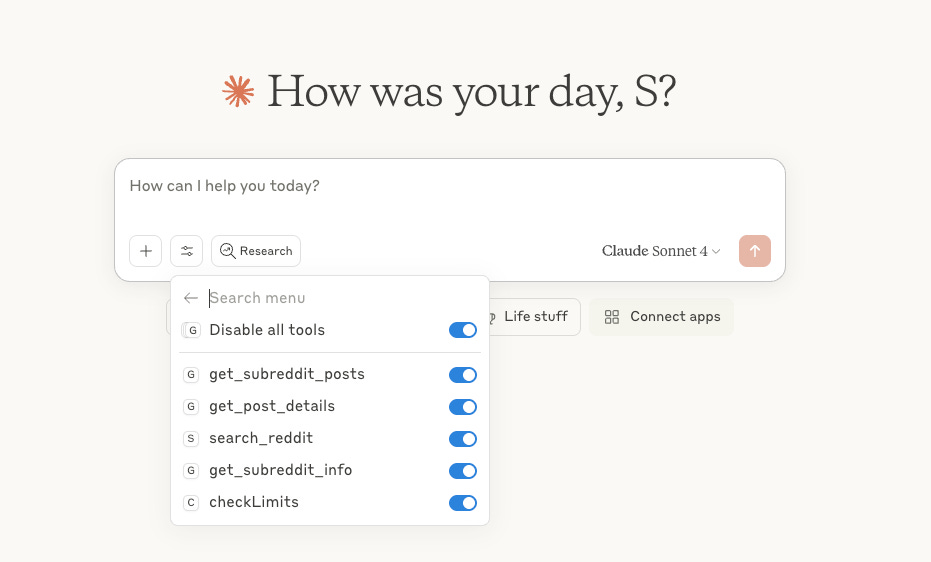
Now you can ask Claude stuff like:
"What are people saying about [your product] on Reddit?"
"Compare the vibe in r/startups vs r/entrepreneur"
“What are the new apps shipped in r/macapps today”
“is r/dataengineering is angrier than r/machinelearning today?”
Claude fetching the reddit posts and summarizing it for you and ability to drill down into specific posts, is pure magic & insane leverage if you use it right! I have used tools like GummySearch to research on reddit before, but now you can achieve some of its capabilities yourself. Here is a quick demo:


No more doom scrolling, just pure filtered reddit gold delivered to you leveraging the power of MCP Server & your favorite Claude Desktop / your favorite MCP Server client. Its like having a personal assistant who loves to read reddit posts for you.
Now you have even fewer excuses to ignore your users. Can't wait to see what rabbit holes you go down. Maybe you will discover your power users have built entire workflows you never imagined. Or that your "minor bug" has its own meme. Either way, you're about to learn some things from reddit thanks to MCP Server + Claude Desktop!
Happy hacking / lurking on reddit while burning those LLM tokens!